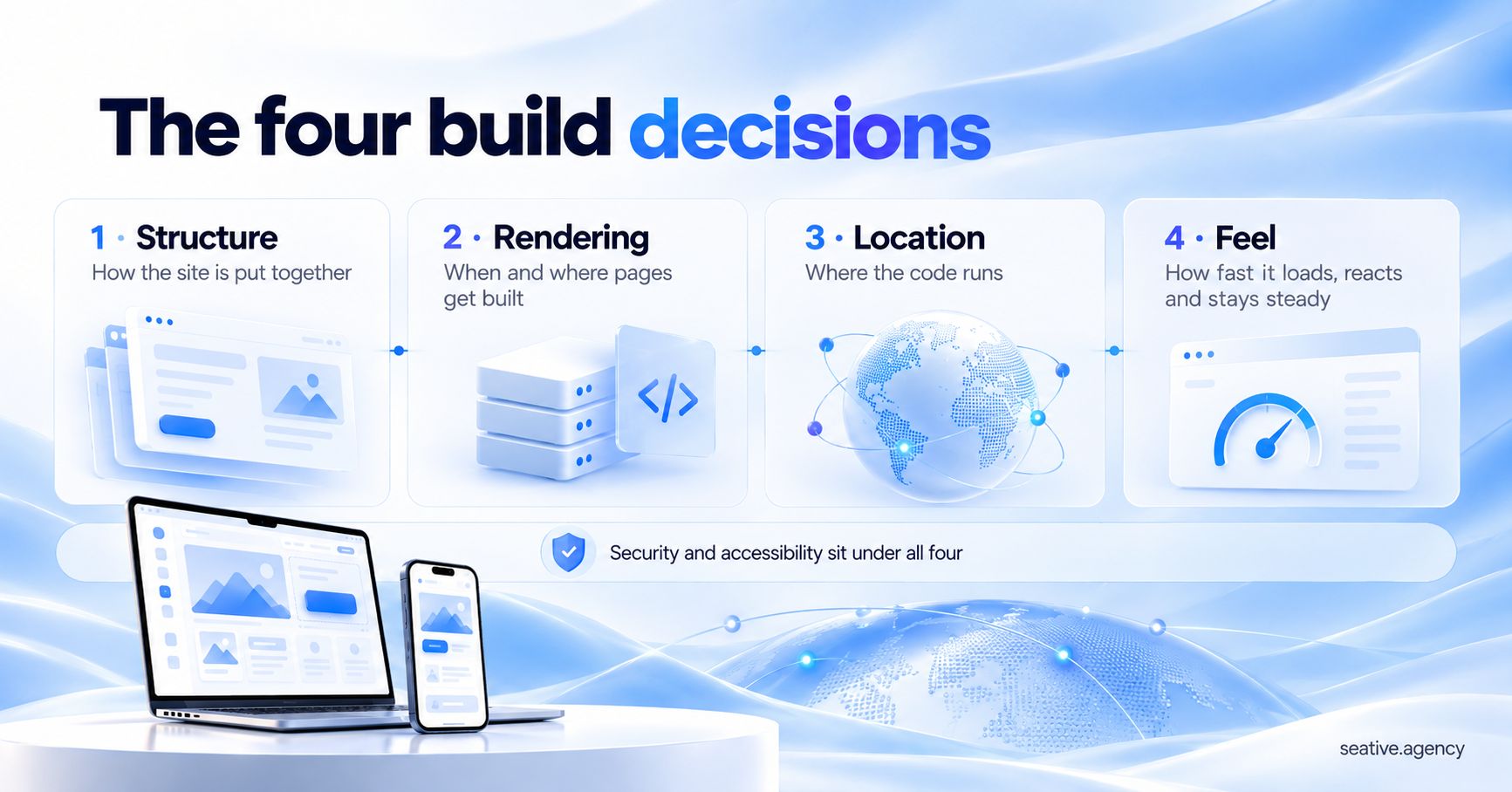
What Does Web Development Include? 2026 Stack Explained

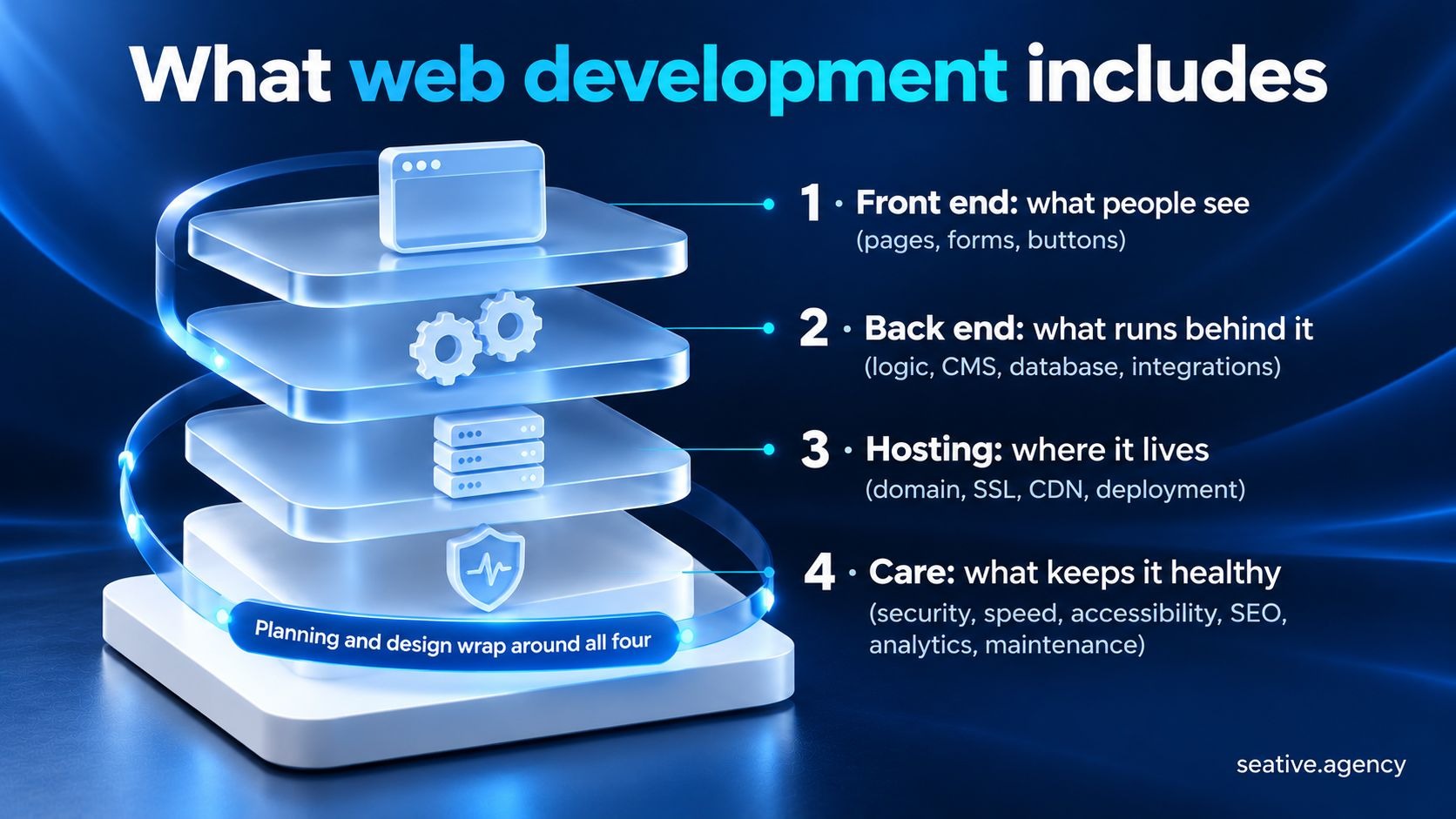
Web development includes everything it takes to plan, build, launch and run a website or web app. That means the front end people see, the back end and hosting behind it, and the care that keeps the site fast, secure, accessible and findable after launch.
Plenty of quotes price only the first half of that list. Meanwhile, only 48% of mobile websites passed all three Core Web Vitals, Google's speed and stability checks, in HTTP Archive's 2025 Web Almanac, a yearly report on the state of the web.
WebAIM also found accessibility failures on 95.9% of the top one million home pages in February 2026. So why are so many sites still failing the basics?
I think the biggest and least discussed reason is the scope. Yes, that boring list of what's in and what's out. When the care layer isn't written into it, nobody owns it, and a site that launched fast and accessible slowly stops being either.
And that's exactly why I stick to the long answer, because I hate watching a good website fall apart when everything it needed was there from day one. So, I thought I could help if you're planning a new site or a rebuild. I'm sure the upcoming sections will show you what to ask for before you sign anything.
Key takeaways
In this guide
Web development includes four layers: the front end people see, the back end behind it, the hosting it runs on and the care that keeps it fast, safe and findable. Planning and design wrap around all four, and the care layer keeps going long after launch.
I love splitting it this way, because it turns a vague "build us a website" into a list you can actually price and check. And you've probably used all four layers this week without noticing.
Say you order dinner through a delivery app. The menu, cart and pay button are the front end. Behind them, the back end checks the restaurant's menu, takes your payment and finds a rider, while hosting keeps it all running on servers somewhere.
The care layer is why the app still works at 8 p.m. on a Friday, when everyone orders at once. Your company site needs far less of each layer, but it still needs all four.
Even the US Bureau of Labor Statistics agrees with me here. Its Occupational Outlook Handbook lists meeting clients, writing code, testing and tracking site traffic as typical duties for web developers.
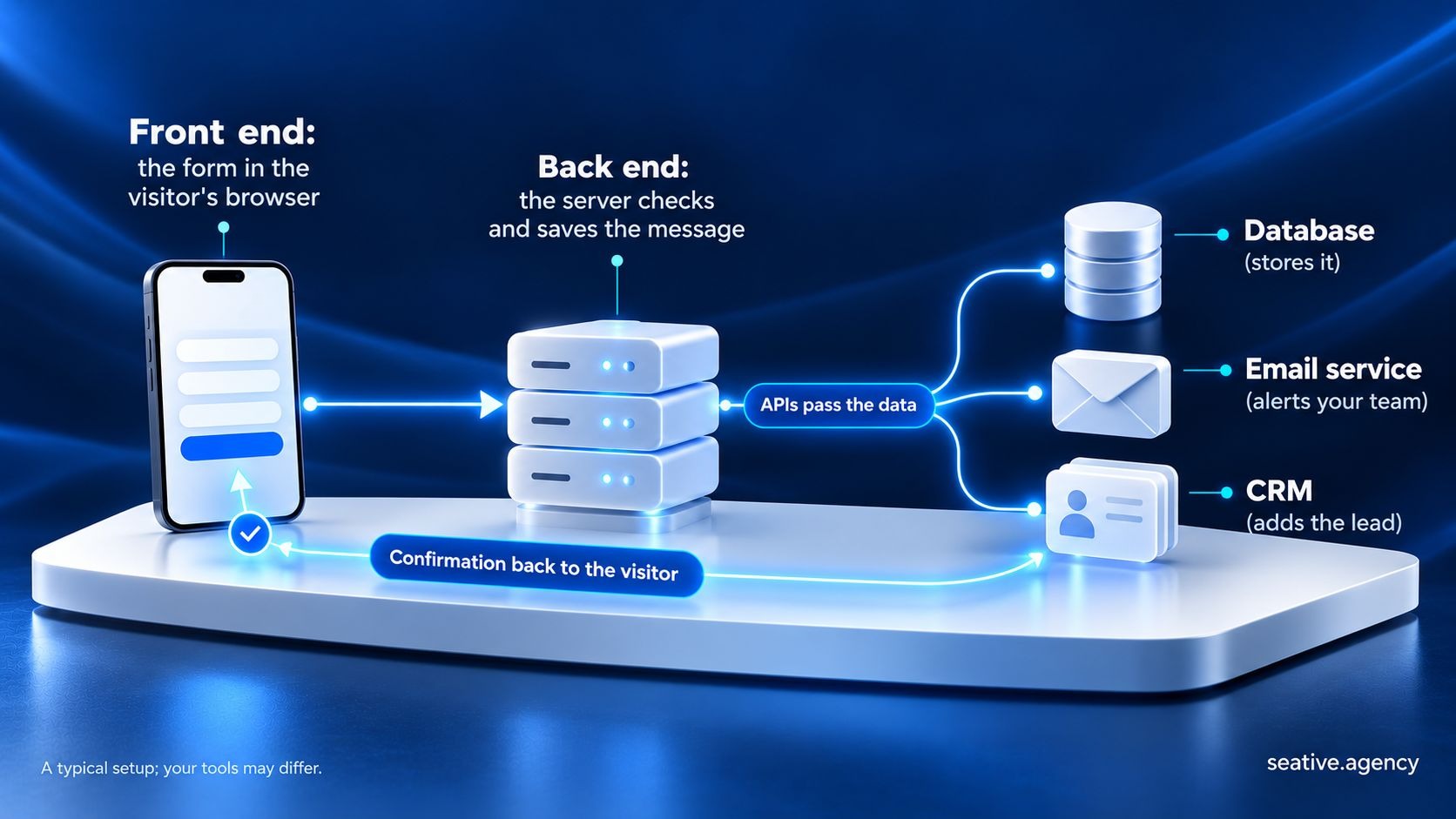
At the code level, web development consists of front-end work, which runs in the visitor's browser, and back-end work, which runs on servers. Full-stack development means one person or team covers both. Most business sites need some of each, even when a platform runs the back end for you.
Those types make up the first two layers of the map, and they're the part everyone already expects to pay for. Front-end development turns designs into pages people can use, with HTML for structure, CSS for style and JavaScript for anything interactive. JavaScript, the language behind tools like React, was the most-used language in Stack Overflow's 2026 Developer Survey, at 62%.
Back-end development handles what happens behind the screen. That means logins, forms, business rules, the content management system (CMS) your team edits and the database behind it. It also connects your site to other services, such as your payment provider, through APIs (application programming interfaces).
Think about your own bank. The counter and the app screen are its front end. The ledger that updates your balance, and the checks that stop a stranger taking your money, are its back end. Unlike a bank, though, many small sites rent their back end from a platform.
Now, where does design fit in? UX design (how a site works) and UI design (how it looks) sit right next to development, so ask whether a quote includes them.
And once a site outgrows a few page templates, our guide to advanced web development covers the bigger technical choices.
A full web development project includes much more than front-end and back-end code. It also covers planning, design, moving content, hosting, security, speed, accessibility, SEO, analytics, testing and maintenance. These are the items quotes tend to leave vague, so ask about each one before you sign.
Most of that sits in the hosting and care layers, and it's my favorite part of the whole topic, because it's where most of the surprises hide. If you've ever been handed a quote with one line that says "website development," you know how hard comparing agencies gets. So here's that line split into parts you can check:
Two rows deserve extra attention, and I'd fight for both of them. The first is ownership: if the domain, hosting or code accounts sit in someone else's name, switching teams later gets much harder.
The second is redirects, which send visitors from old page addresses to new ones after a rebuild. Google recommends "a permanent server-side redirect whenever possible," so people and search engines still reach the right page.
A website should meet Google's Core Web Vitals: main content loads within 2.5 seconds, the page responds to input in under 200 milliseconds and layout shift stays under 0.1. It should also meet the Web Content Accessibility Guidelines (WCAG) 2.2 at level AA and stay patched against common security risks.
All three live in the care layer, which is where those opening numbers came from. Stick with me for a second, because the details are even more telling.
That 48% pass rate comes from HTTP Archive's 2025 Web Almanac. The same report put the median mobile home page at 2.56 MB, including 646 KB of JavaScript.
Think about packing a suitcase for a three-day trip. Every extra item is weight you drag through every airport, and every image and script is weight a visitor's phone has to download. Unlike a suitcase, a page can load some items later, as long as the main image isn't one of them.
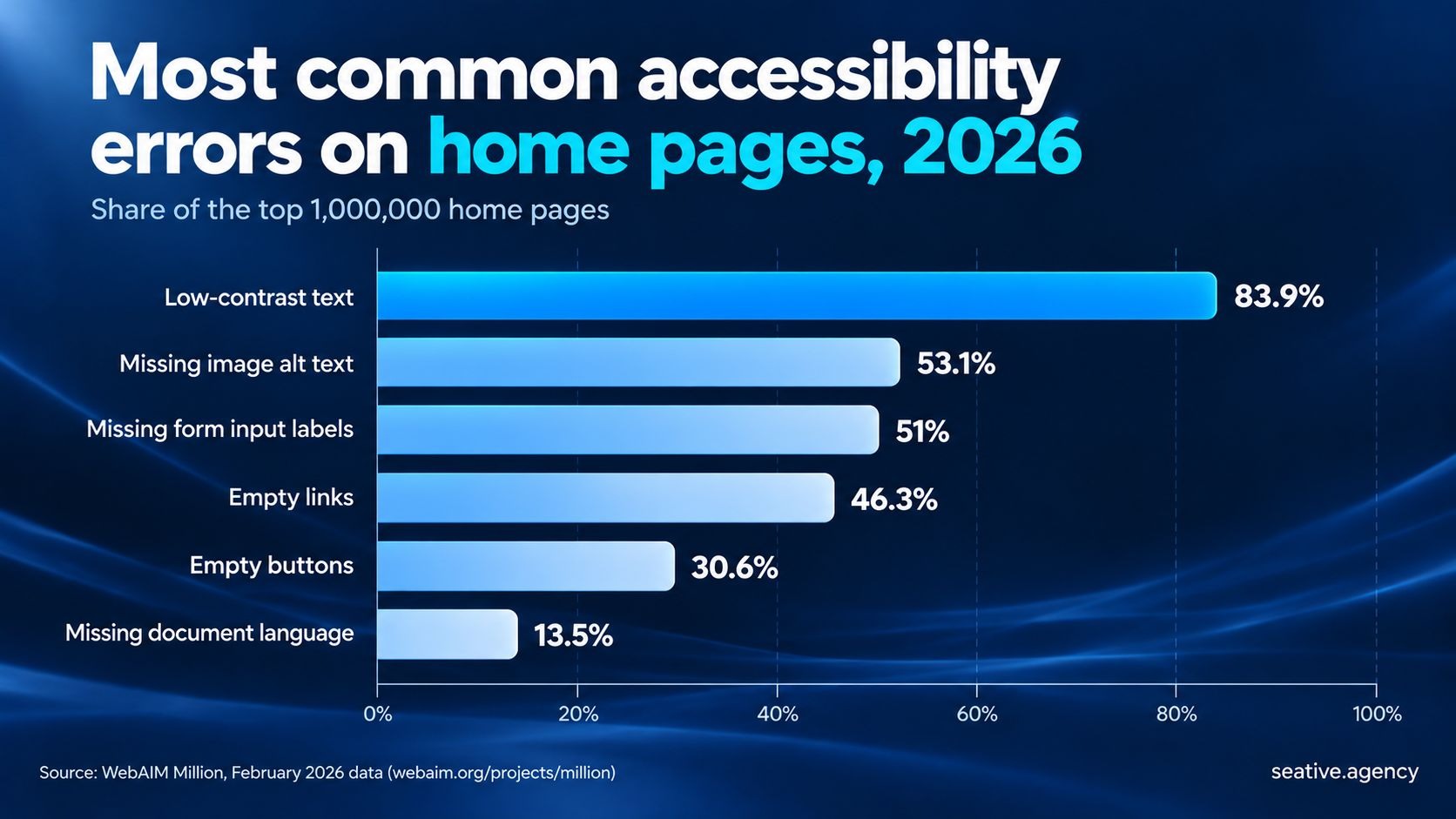
Accessibility is slipping, too. The WebAIM Million scans the top one million home pages every year, and its 95.9% failure rate for February 2026 is up from 94.8% a year earlier.
Low-contrast text was the most common error, on 83.9% of pages. And honestly, that one hurts me as a designer, because it's one of the easiest problems to fix.
If you sell in the EU, the European Accessibility Act has covered e-commerce since June 2025, so ask a legal adviser what applies to you.
Security is the part people forget until something breaks. The OWASP Top 10:2025 is the Open Worldwide Application Security Project's list of the biggest web app risks. One of them is software supply chain failures, meaning weak spots in the plugins and packages a site depends on.
That risk is very real for WordPress sites. Patchstack, a WordPress security company, counted 11,334 new vulnerabilities in the WordPress ecosystem in 2025, and 91% were in plugins. It also found that about half of the high-impact ones get exploited within 24 hours, which is scary if your updates wait for a quiet month.
Technical SEO is part of web development, because the build decides whether search engines can reach and understand your pages. That covers clean URLs, page titles, a sitemap, structured data and fast mobile pages, and Google says AI Overviews and AI Mode need nothing extra.
Search sits in the care layer, where your developer's work meets your marketing team's work. Maybe someone has already told you AI search needs special files. I'd ignore that advice, because Google's guidance on AI features says you "don't need to create new machine readable files, AI text files, or markup" to appear in them.
Think about your local library. A great book with no catalog record sits on a shelf nobody checks, and structured data is that record, labeling what each page is about. Search engines also judge how well a page answers the question, though, which no catalog card can do.
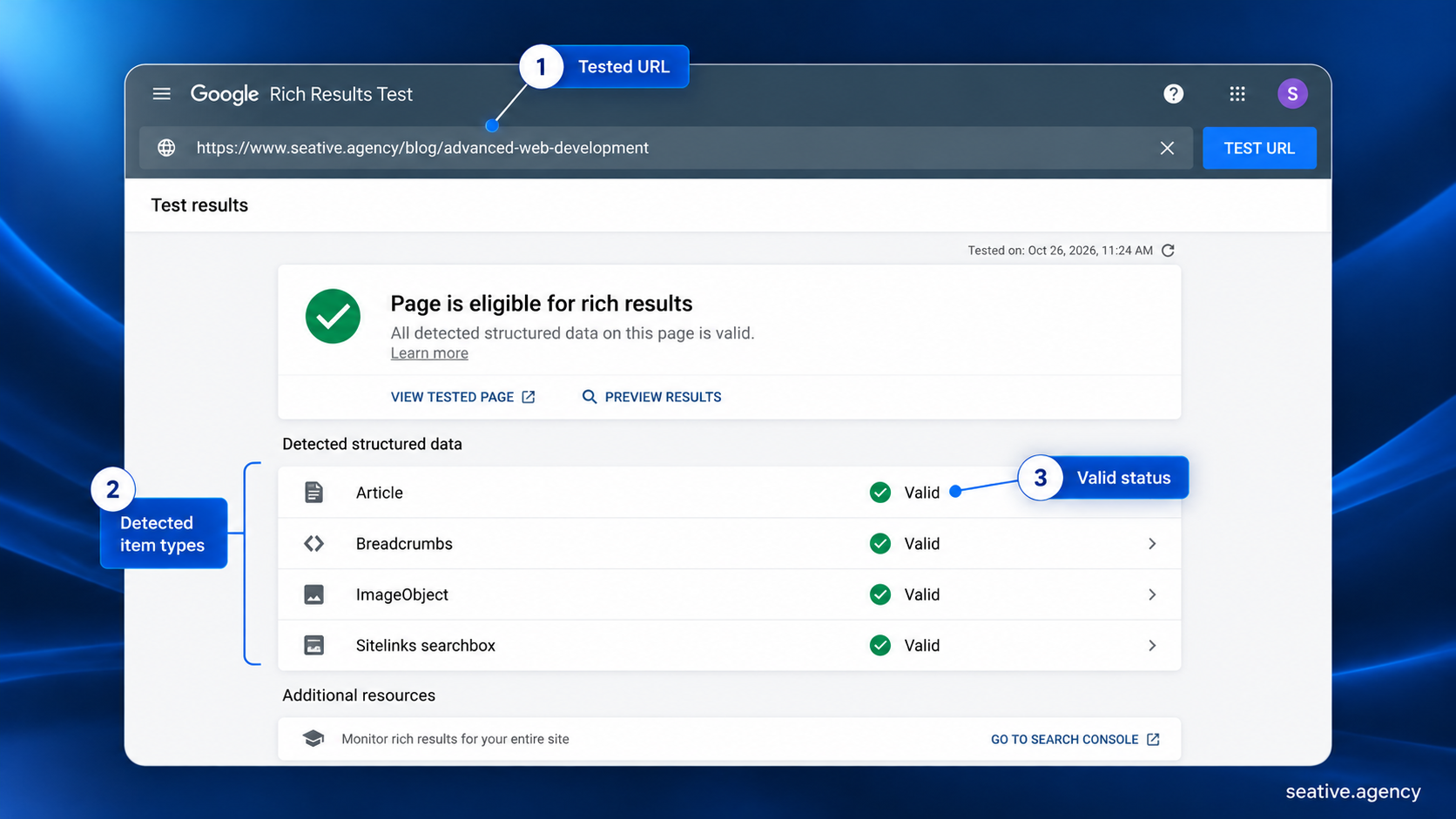
Analytics belongs here too, because tracking form fills, sign-ups or sales is how you'll know whether the site is doing its job.
A hosted platform like Webflow or Shopify takes care of hosting, SSL certificates and the security of the platform itself. Your team still owns content, design, accessibility, SEO, integrations and testing, so a platform makes the job smaller without removing it.
That split decides who looks after each row of the scope table. I know "platform or custom?" sounds like a developer question, but it shapes your team's monthly to-do list.
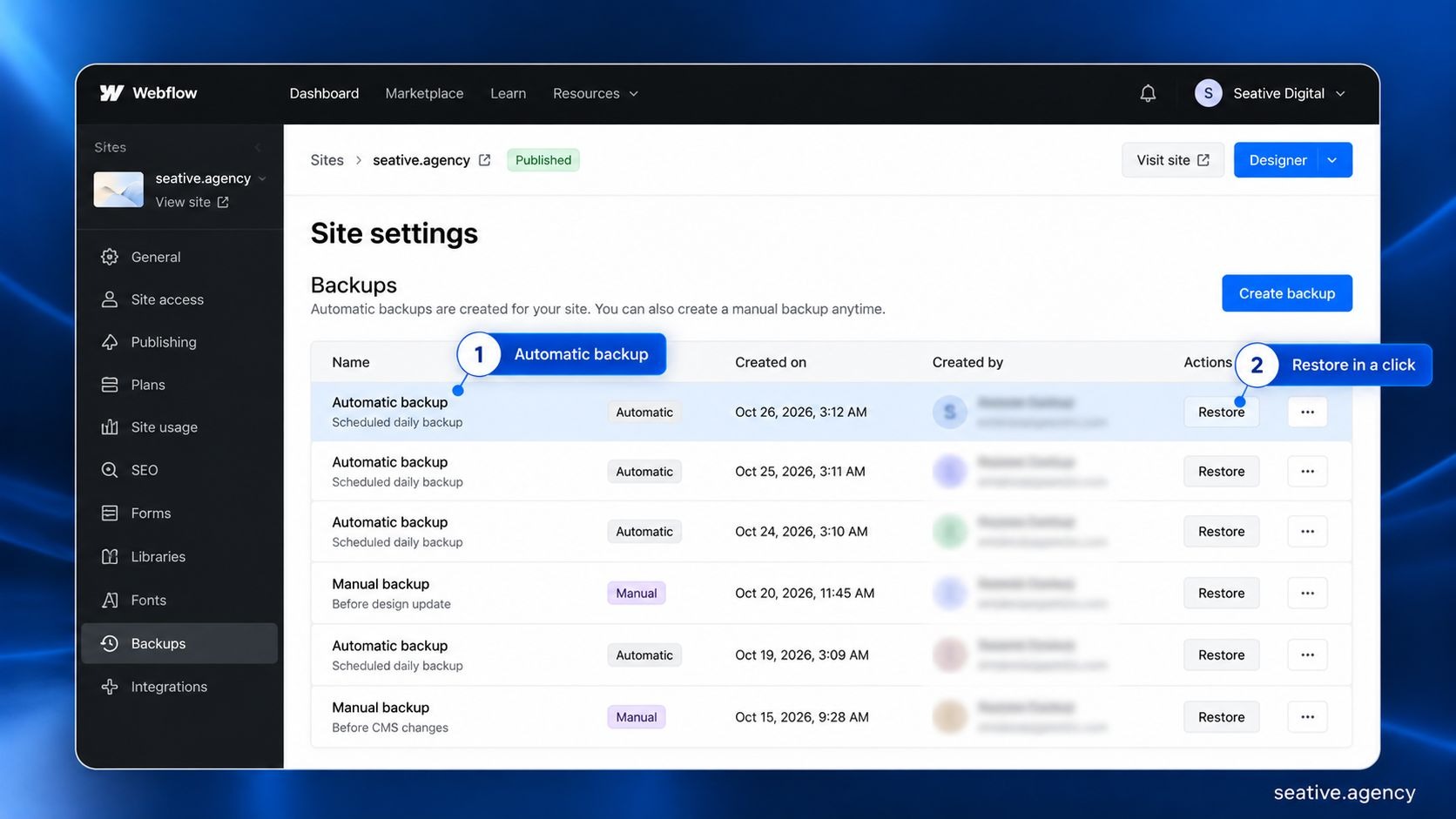
Webflow's hosting page lists SSL on every site plan, plus free protection against floods of fake traffic and automatic backups. Pages go out through a content delivery network (CDN), which serves them from servers near each visitor, and Webflow rolls out security updates for you.
Shopify gives every store domain a free security certificate. It also says it's "certified Level 1 PCI DSS compliant," which is the card payment industry's security standard.
Say you rent a shop in a mall. Security, cleaning and the roof come with the lease, but your window display, stock and service are yours. A custom build is a standalone shop, with full control plus every lock and leaky pipe. The comparison breaks when you move out, since leaving a platform can mean rebuilding.
Here's how the work splits on Webflow:
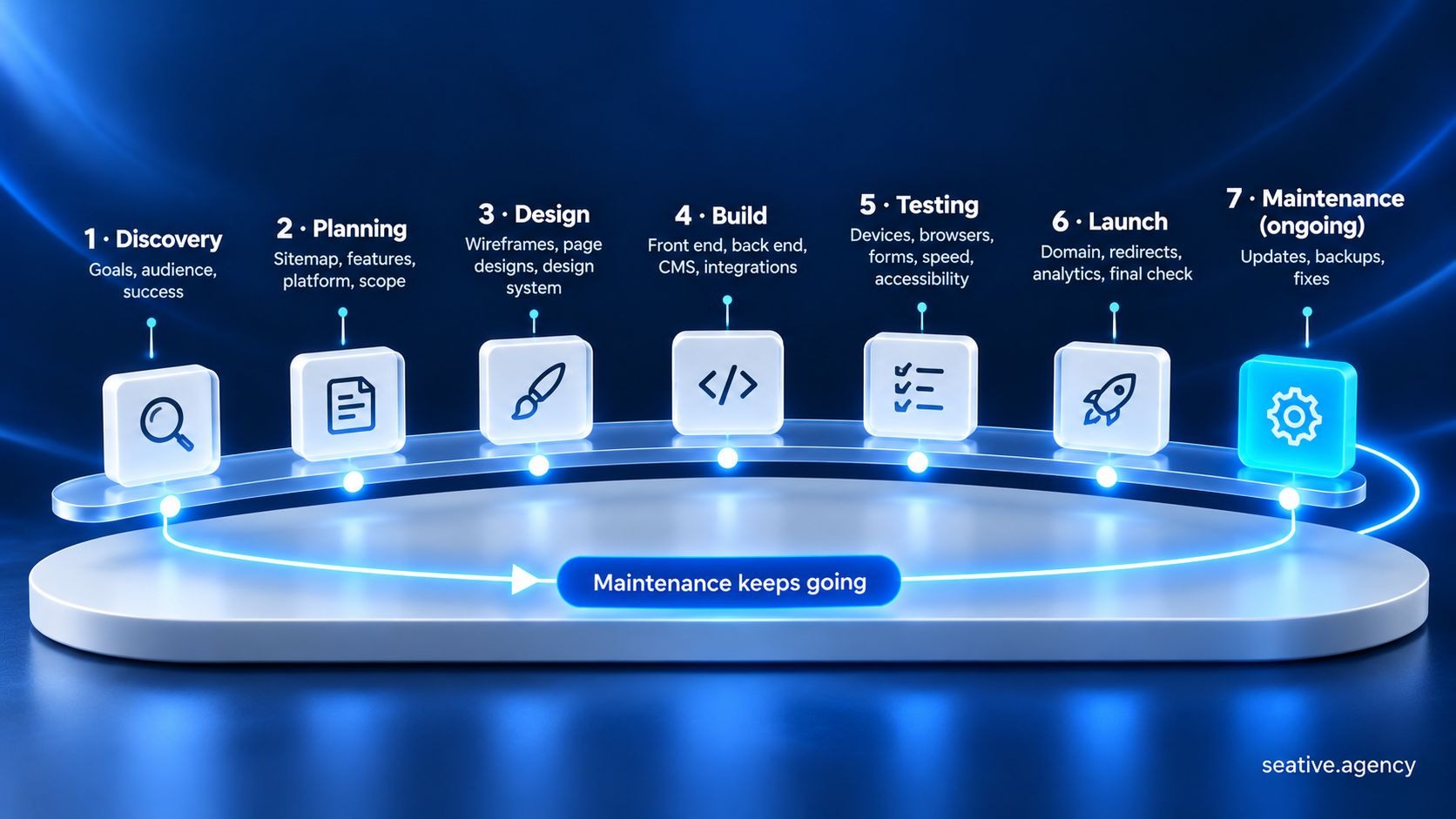
Most web development projects run through seven stages: discovery, planning, design, build, testing, launch and maintenance. AI tools now speed up drafting, coding and testing inside those stages, but people still set the goals, review the work and decide what goes live.
Those stages are the scope table in time order:
AI now shows up in most of these stages. In Stack Overflow's 2026 Developer Survey, 65.9% of respondents used AI coding assistants or agents at work. Only 6.6% trusted AI output for many tasks, including important work decisions.
Fair question, then: can AI build the whole site for you? It can draft plenty, but WebAIM's report listed AI-assisted "vibe coding" among the shifts likely behind this year's more complex, more error-prone pages.
That's why, at Seative Digital, we use AI to speed up research, exploration and repetitive tasks, and experienced people refine every output. Our pre-launch checklist for AI-built websites lists what to check, and our web development team [VERIFY URL] can run all seven stages with you.
Web design and web development overlap, but they're separate jobs. Design decides how a site looks and works for people, while development turns those designs into working code. Many teams, ours included, do both, so ask which parts a quote covers.
Setting up hosting and connecting your domain are usually included, but the yearly fees usually aren't. Platforms like Webflow and Shopify bundle hosting into their plans, while custom builds need separate hosting. Either way, register the domain in your company's name.
Technical SEO usually is: page titles, clean URLs, a sitemap, redirects, structured data and fast pages. Ongoing SEO, like keyword research, new content and link building, is normally separate. Check which one a quote means, because "SEO-friendly" can cover very little.
It depends more on scope than on page count. The biggest factors are custom features, integrations, content readiness and how fast feedback comes back. A small marketing site on a platform can take a few weeks, while a custom web app often takes months.
It depends on scope, so be wary of any price that comes without a scope list. The biggest cost drivers are custom features, integrations, content migration, the platform and the care you need after launch. Ask for a quote that prices the build and the first year of maintenance separately.
So, that's my long answer to "what does web development include": four layers, with planning and design around them and the care layer running long after launch. I know it's more than a one-line quote, but that's exactly the point. Before you sign anything, take the scope table to your next developer call and ask each question out loud.
And if you'd like a second pair of eyes on a quote or your current site, book a 30-minute strategy call and we'll go through all four layers together.